Private video chapters and searchable transcripts — on your Mac.
Drop in any video. VideoChapter creates smart chapters, summaries, and a time-aligned transcript you can search. Ask questions and jump to the exact moment — without uploading your video.
Why VideoChapter
Navigate like a document.
Stop guessing what a video contains.
Smart structure
Automatic chapters with timecodes and summaries — so you instantly see what any video covers.
Fast re-open
Local caching means previously processed videos re-open instantly.
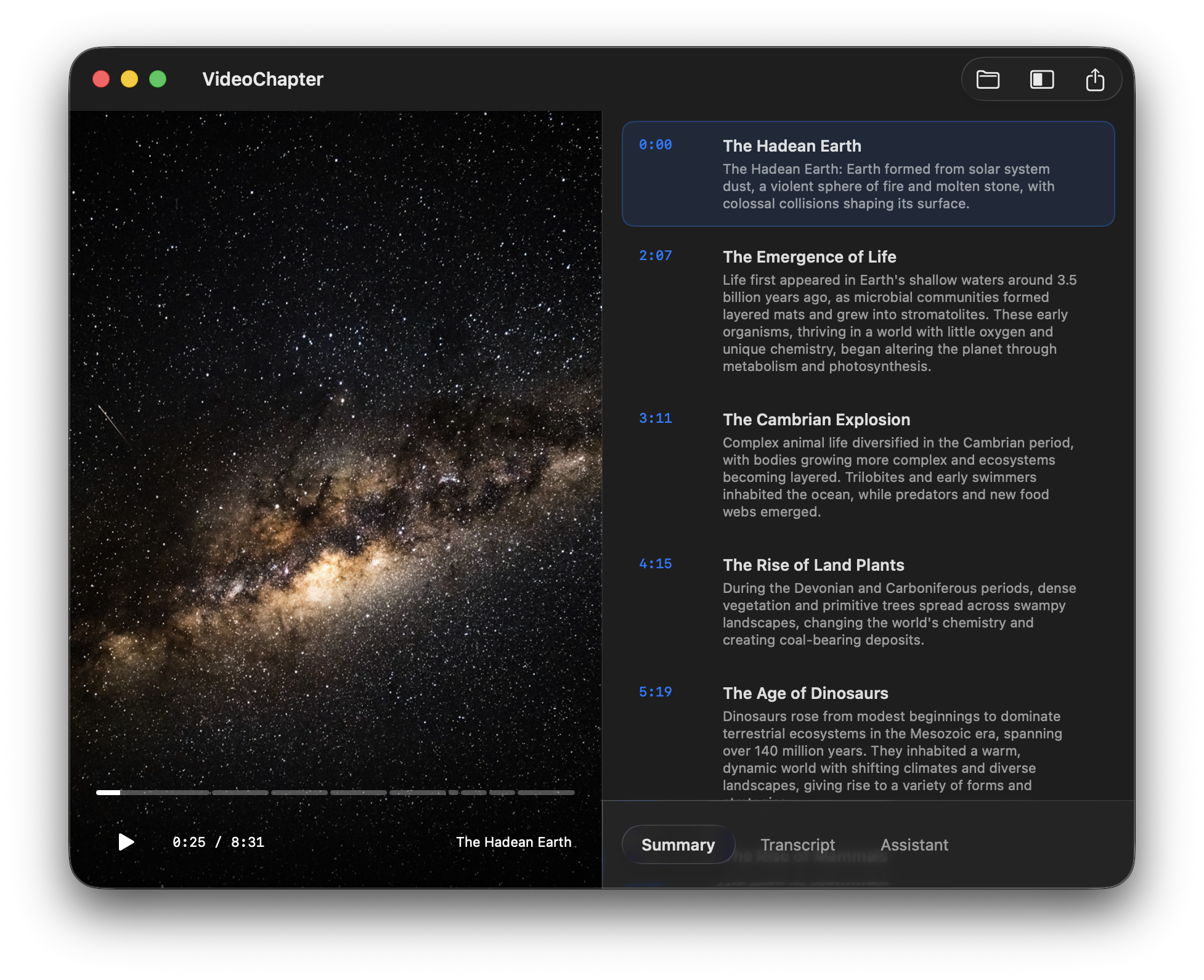
Find any word instantly.
Search across the entire transcript.
Searchable transcript
A time-aligned transcript you can search. Click any word and jump to the exact moment.
On-device AI
Core processing runs locally on your Mac after a one-time model download.
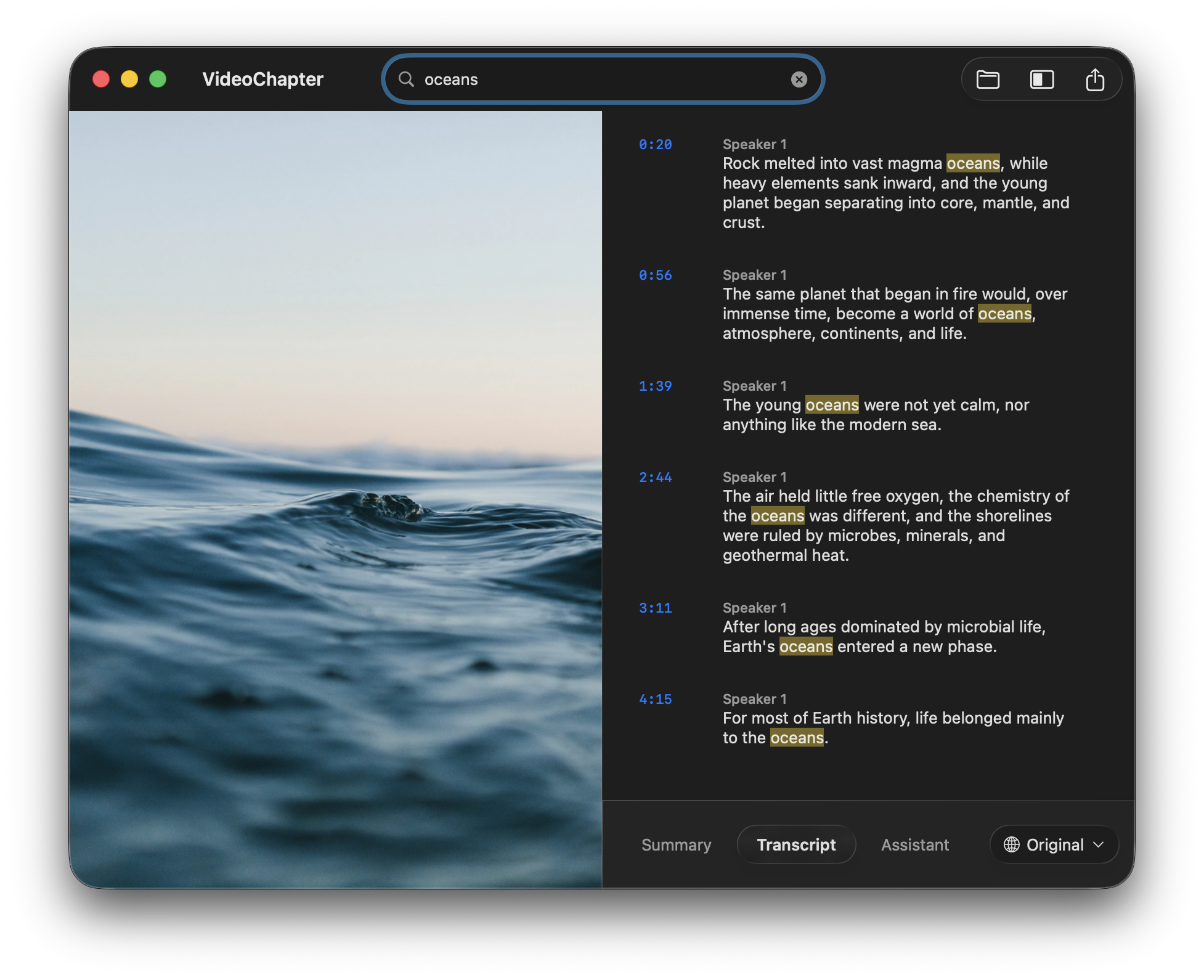
Assistant
Ask your video. Get exact answers.
Stop scrubbing through timelines. VideoChapter's on-device assistant answers from the transcript and points you back to the exact moment.
Natural language search
Ask complex questions about anything said or shown in the video.
Jump to the moment
Every answer includes exact timestamps that click right to the scene.
Evidence cards
Answers are grounded in specific transcript quotes, so you can trust the context.
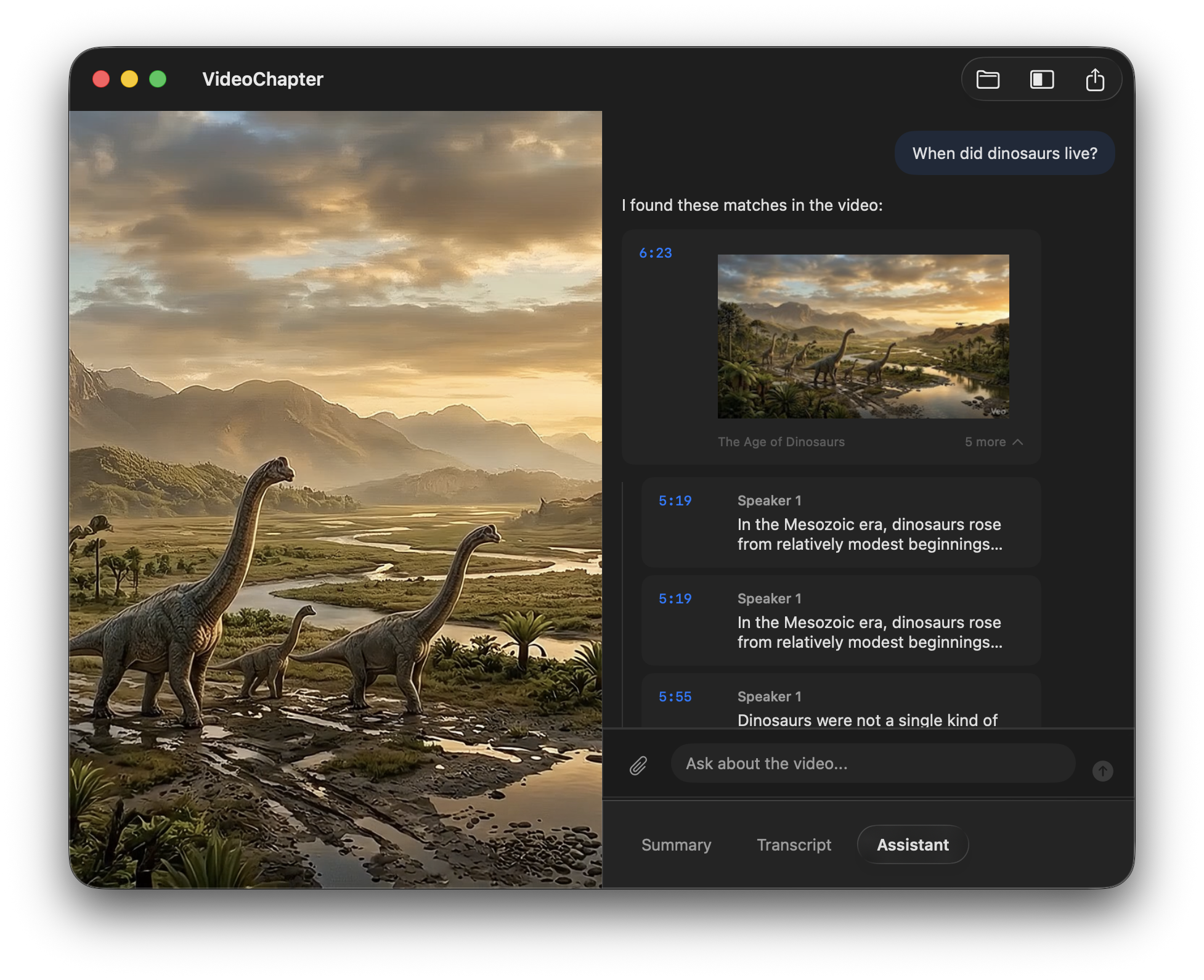
Export
Take your notes out of the app.
Export structured outputs in standard formats, or create a shorter cut-down from selected chapters.
Chapters & transcripts
Export chapters as YouTube text, CSV, Markdown, or JSON. Export transcripts as SRT, VTT, TXT, or JSON.
Cut-down video
Select chapters and export a shorter cut-down video. No separate editor needed.
Privacy-first
Your video never leaves your Mac
Most tools require uploads. VideoChapter doesn't. Core processing runs entirely on-device, prioritizing your privacy.
Core processing happens on your Mac after a one-time model download (~8 GB). No remote processing required.
You can use the app without creating a VideoChapter account or signing into a web service.
Source videos, transcripts, chapters, summaries, and assistant answers stay on your Mac for core workflows.
Internet access may still be used for model downloads, purchase flows, updates, or optional anonymous analytics.
Use cases
Built for people who work with video
Whether you create, review, or learn from video — VideoChapter gives you structure.
Generate chapters and timestamps for video descriptions instantly. Export directly to YouTube format.
Structure long course recordings into chapters, export subtitles, and create searchable lesson content.
Search transcripts for key moments. Ask questions about interview content with exact time references.
Pricing
Buy once. Keep it private.
Most tools charge per month and require uploads. VideoChapter keeps core processing on your Mac and Pro as a one-time upgrade.
Free
Get started for free
- Automatic chapters with timecodes
- Chapter summaries
- Full searchable transcript
- Click-to-seek playback
- Local processing after model download
- No account required
VideoChapter Pro
One-time purchase • No recurring subscriptions
Everything in Free, plus:
- Ask the video with grounded answers and timestamps
- Translate transcripts with Apple-supported languages
- Export chapters (YouTube, CSV, Markdown, JSON)
- Export transcripts (SRT, VTT, TXT, JSON)
- Export cut-down videos from selected chapters
FAQs
Frequently Asked Questions
Does VideoChapter really work offline?
Core processing runs locally after the one-time model download. Network access may still be used for downloads, updates, purchase checks, or optional anonymous analytics.
What video formats are supported?
VideoChapter is designed around common formats macOS media frameworks can open reliably, including MP4, MOV, and M4V. Results can vary with unusual codecs or damaged files.
How accurate is the transcription?
Accuracy depends on audio quality, speaker overlap, and language support. For clear speech, the output is typically strong enough to search, skim, and export, but you should review anything you plan to publish.
What Mac do I need?
macOS 26 or later. Apple Silicon is recommended for best performance.
Is there a subscription?
No. The Free tier is free forever. Pro is a one-time purchase of $59.99 — no subscription, no recurring charges.
Can I try before buying Pro?
Yes. The Free tier covers chapters, transcript, and search so you can evaluate the core workflow before unlocking assistant, translation, and export features.
Ready to make your videos searchable?
Download VideoChapter for free and start turning long videos into chapters, transcript search, and exportable notes on your Mac.